Best practice
Transpose rows and columns
Performing a complete transposition of rows into columns requires a combination of operations.
Example
The input file presents coverage types as columns, so there is one row per policy number and two columns for every coverage type, since premium and commission is stated for each coverage type.
Input |
||||
|---|---|---|---|---|
Policy ID |
Corporate Property Premium |
Retail Property Premium |
Corporate Property Commission |
Retail Property Commission |
P-123 |
5000 |
1000 |
500 |
50 |
The desired output table presents coverage codes as rows with a premium and commission value for each.
Output |
|||
|---|---|---|---|
Policy ID |
COVERAGE_ID |
Premium |
Commission |
P-123 |
CORP_PROP |
5000 |
500 |
P-123 |
RET_PROP |
1000 |
50 |
Method
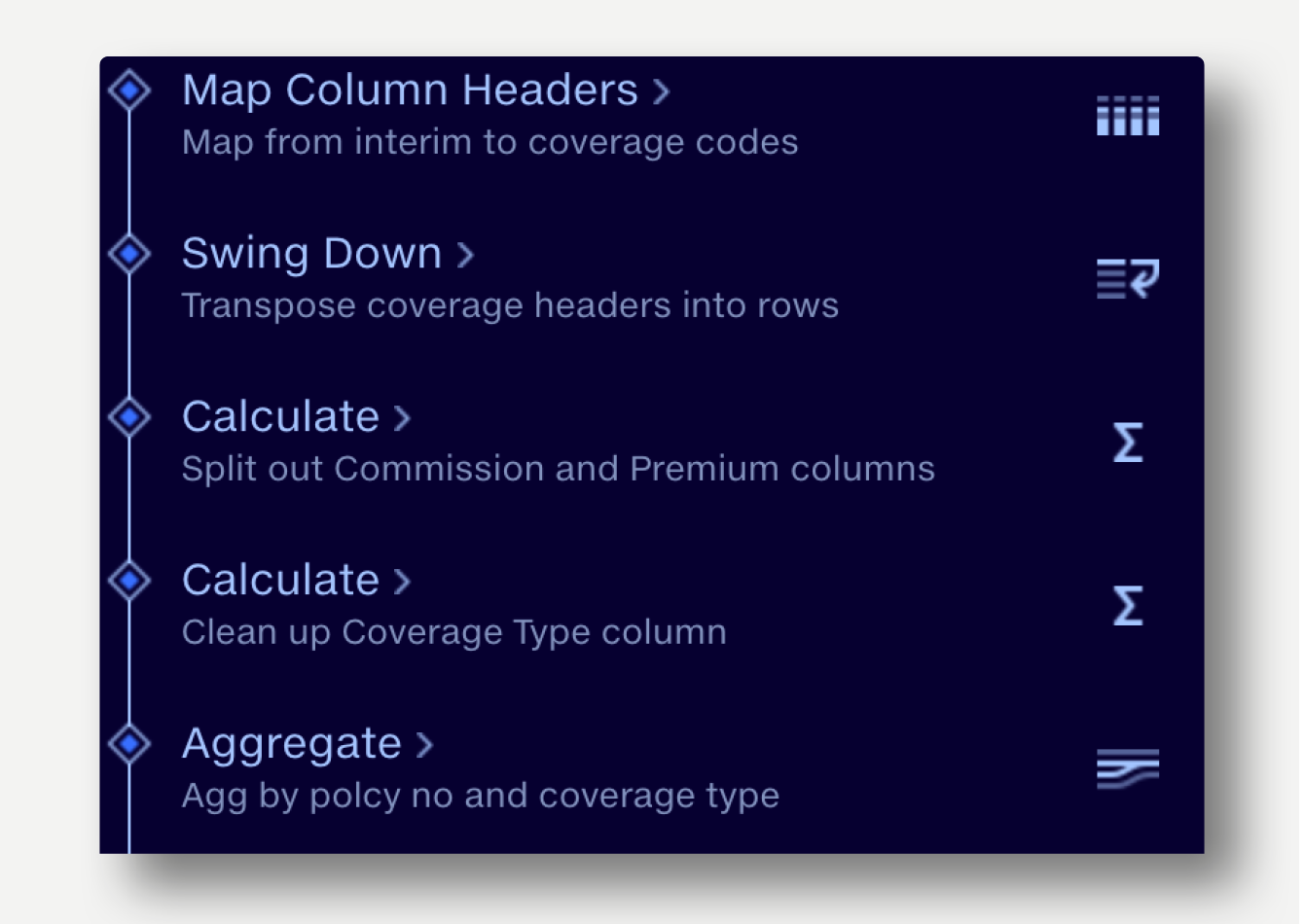
- Map the Coverage header names to coverage codes, appended with ‘PREM’ or ‘COMM’.
- Swing down all the Coverage columns in one operation.
- Swing Down columns ‘CORP_PROP PREM’ ‘CORP_PROP COMM’, etc. Output column name ‘COVERAGE_ID.
- Value column: ‘Value’
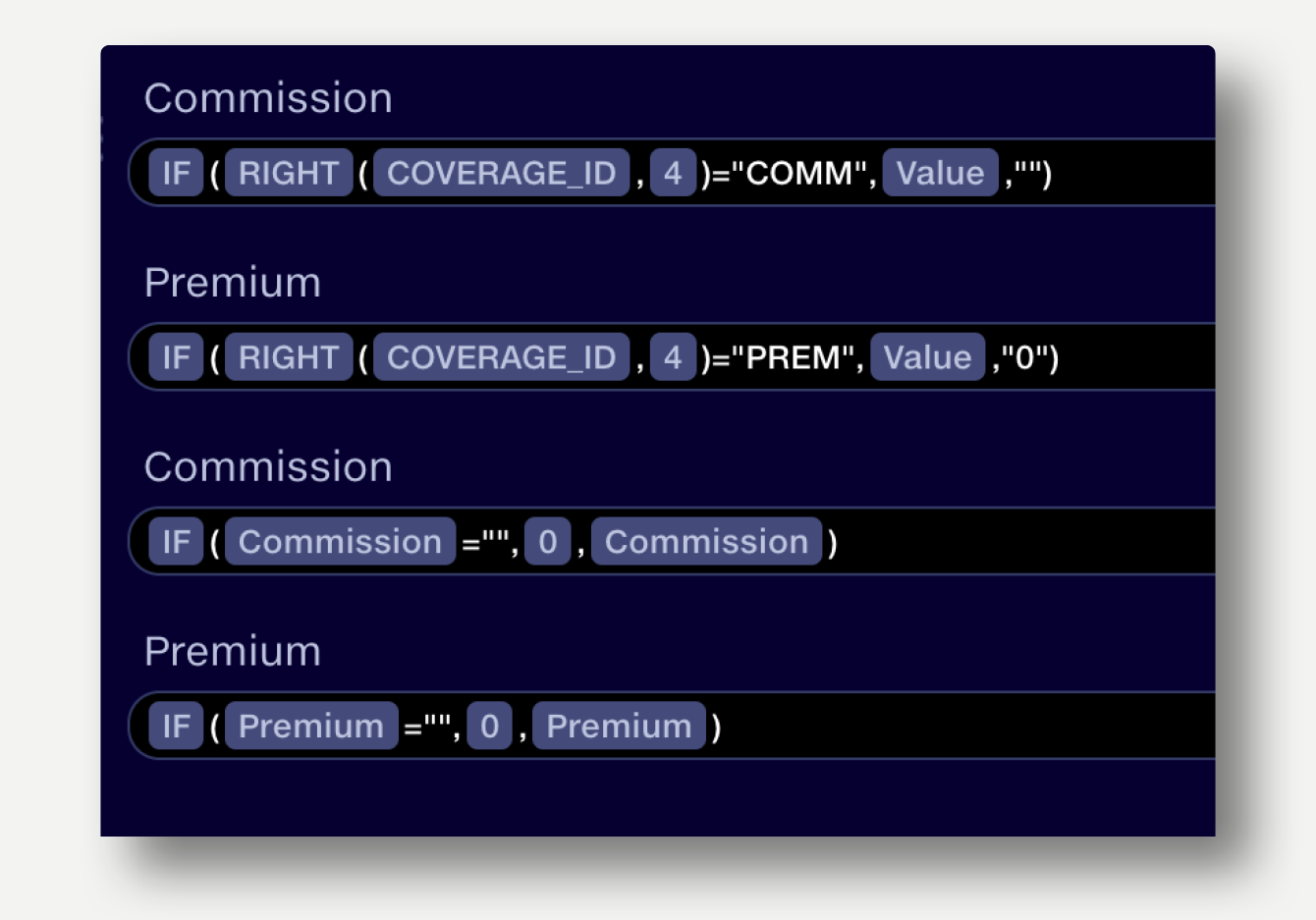
- Premium and Commission values are now all in one column, so split out into separate columns using a pair of IF statements in Calculate. Optionally, an additional pair of IF statements can replace blanks with zero in the Premium and commission columns.
- Using Calculate, clean up the coverage names to remove the ‘PREM’ or ‘COMM’ suffix (and whitespace).
- Aggregate back up to remove the duplicated rows.
LEFT(COVERAGE_ID, LENGTH(COVERAGE_ID)-5)