

Analyse workspace
Overview
Quantemplate Analyse is a suite of drag-and-drop tools to
query, visualise and report on your data.
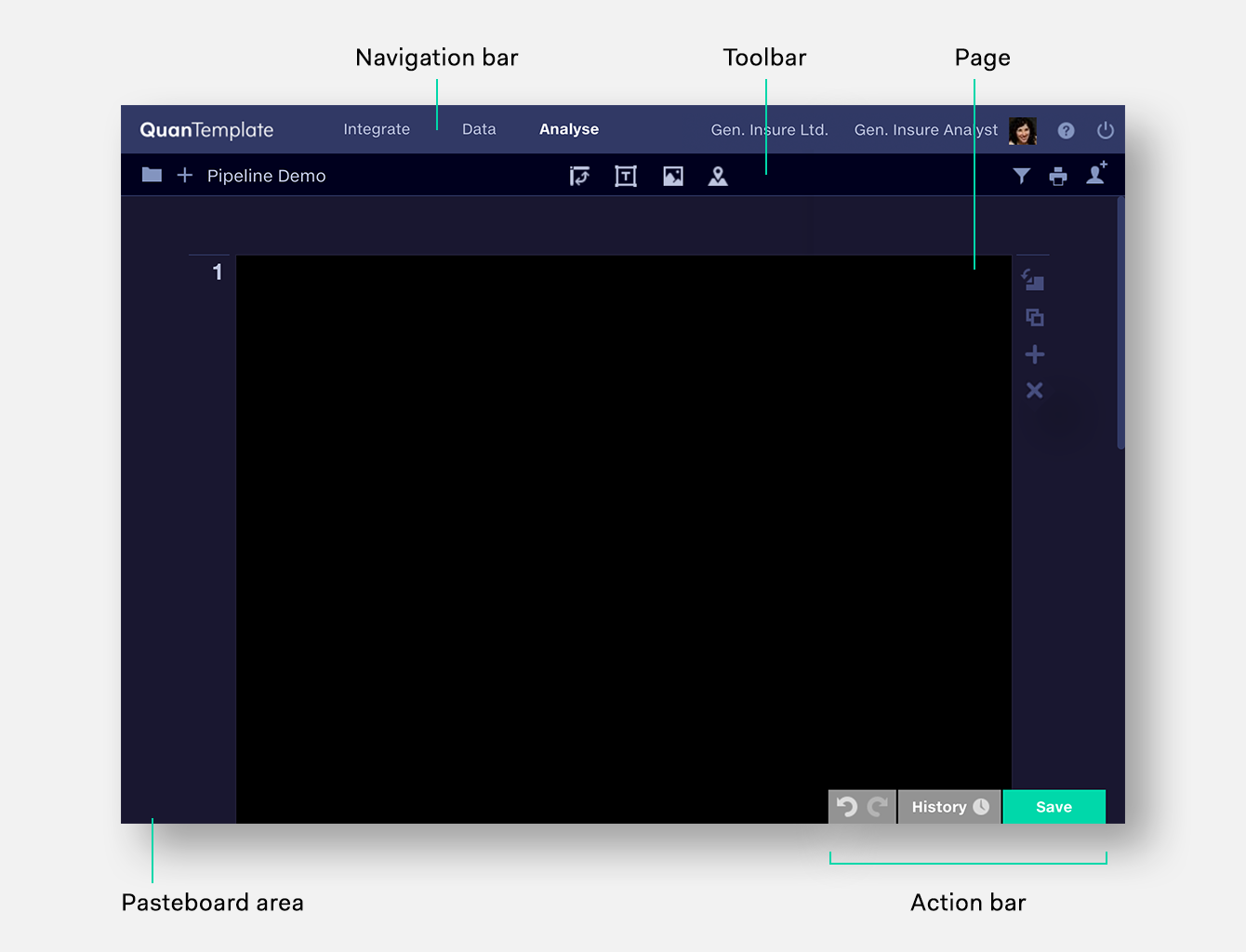
The workspace is a multi-page report into which you can drag frames: pivot tables, graphs, text boxes and images. Output can then be shared within your organisation via Quantemplate or exported to PDF for printing.
The workspace is a multi-page report into which you can drag frames: pivot tables, graphs, text boxes and images. Output can then be shared within your organisation via Quantemplate or exported to PDF for printing.
Navigation bar
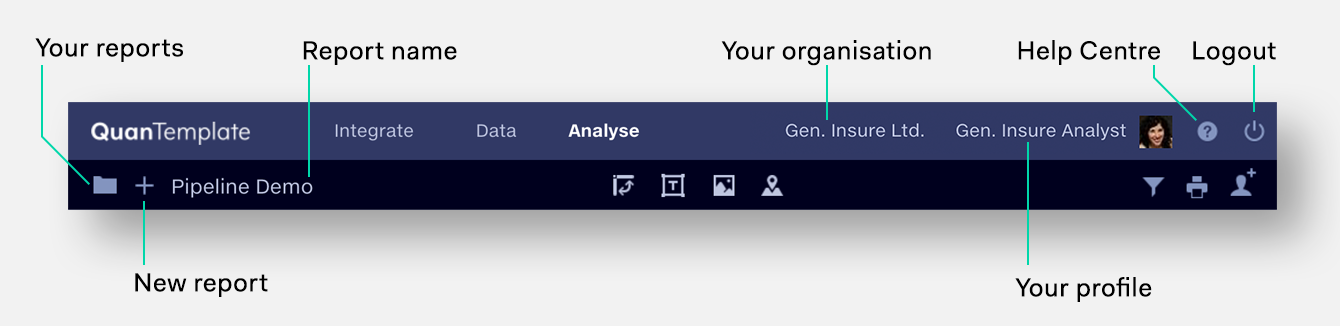
The Navigation Bar shows app-level functions:
- Navigate between Quantemplate’s three product areas
- See your organisation and user profile
- Logout
Toolbar
The Toolbar shows document-level functions:
- Name, create and access reports
- Insert frames to query, visualise and annotate your data
- Set a data source for the report
- Printing, exporting and sharing
Pages
Pages are areas for composing your report. See
Pages section.
Pasteboard area
The area outside the page boundary. Items on the pasteboard do not appear
on PDF output, and may not be visible on smaller screens.
Action bar

Undo or redo actions, view the report’s change
history, save your work
(in addition to regular autosaves).