Whenever you create or import a dataset to Quantemplate, the contents of every column is analysed, identifying its semantic type. This is used in Map Column Headers to weight mapping suggestions, and also for data type validation.
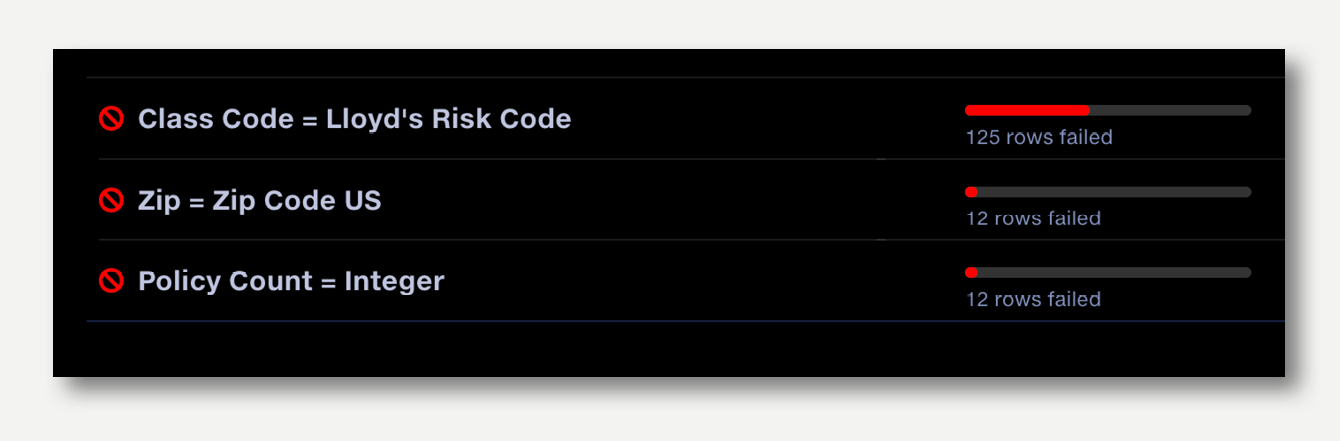
When the pipeline runs, data type validation checks the incoming data meets the expected type defined in the master schema and creates an entry in the validation report detailing exceptions.
Using type validation
Create a dataset in the Data repo to use as a Master Schema in Map Column Headers. The dataset should contain some example rows of data, so that the type for each column can be identified.
Create a Map Column Headers operation. Select your Master Schema dataset in the left hand panel. This will import the column headers and types from your reference dataset, but it will not import the rows.
Map in the source files using automap, or manually.
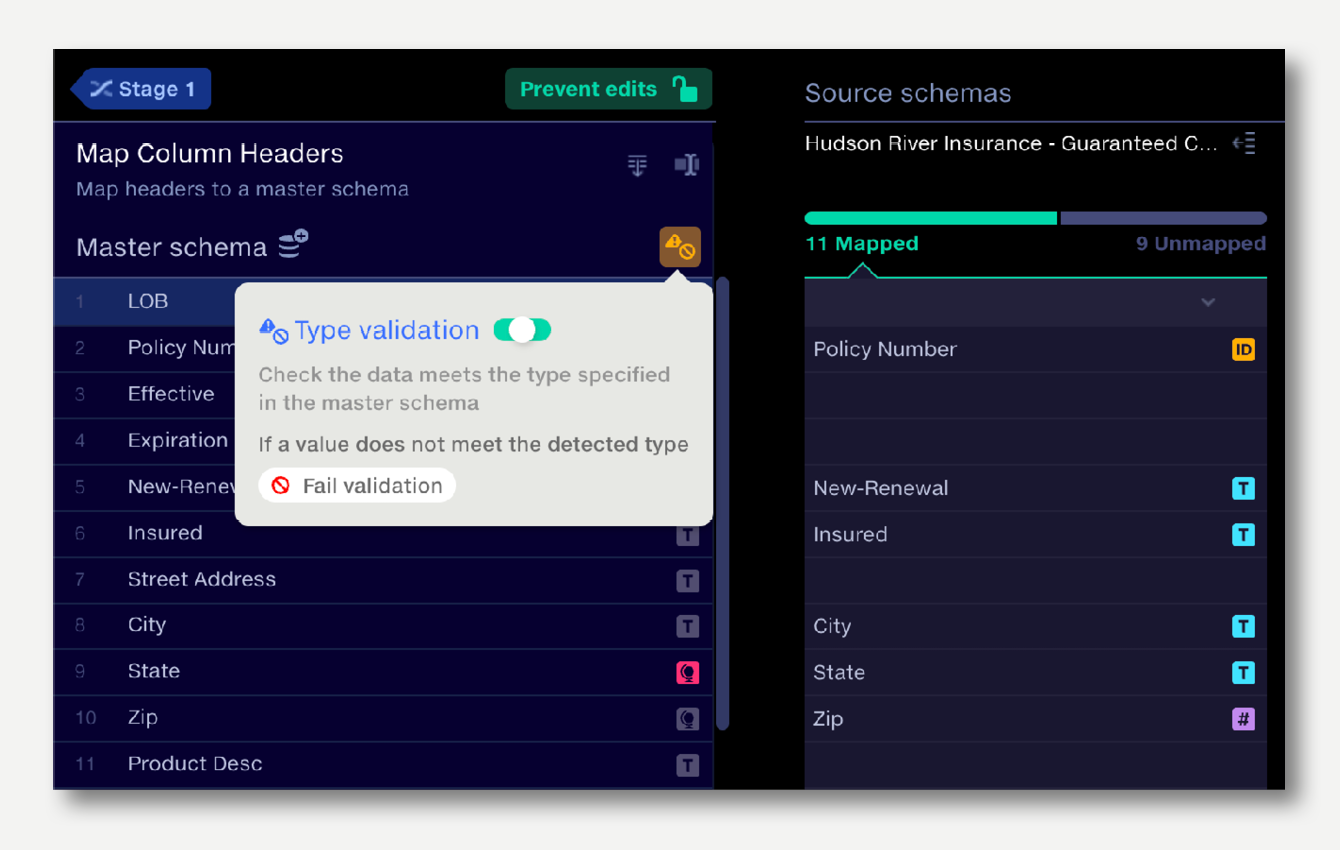
Enable validation: click the validation button in the master schema panel and toggle validation to on. Set the validation type to warn or fail. This will create a data type check in the Validation Report for each type that supports it.
Optionally, remove fields from the validation check, or change to a warn or fail, by clicking on the type icon in the master schema.
After the pipeline runs, results appear in the Validation Report. Type exceptions will be highlighted and corrections can be applied directly in the report.
Types that do not support automated validation
Free text
Categories
Date & Time: dates can be validated and transformed using the Date Cleanse operation.